
How to Set Up a Charging Station for Your Devices at Home
Setting up a dedicated charging station for your devices can simplify your daily routine, reduce clutter, and keep all your gadgets powered and ready to go. Whether you have smartphones, tablets, laptops, or other rechargeable electronics, having one organized spot for charging saves time and prevents tangled cords.
In this guide, we’ll walk you through the steps to create a functional and neat charging station that fits your needs and space.
Why Set Up a Charging Station?
Before diving into the setup, it’s worth understanding why a charging station is beneficial:
– Organization: Keeps cables and devices in one place, reducing clutter.
– Efficiency: Charges multiple devices simultaneously.
– Safety: Minimizes risks from scattered cords, such as tripping or damage.
– Convenience: Makes it easy to find and use your devices without hunting for chargers.
Step 1: Choose the Right Location
Start by selecting a suitable spot for your charging station. Consider locations that are:
– Easily accessible to everyone in the household.
– Close to power outlets to avoid long extension cords.
– Spacious enough to hold all devices without crowding.
– Safe from moisture and away from areas where devices can easily fall.
Common places include a corner of your living room, kitchen counter, home office desk, or a shelf near a power source.
Step 2: Gather Your Supplies
To set up a charging station, you will need:
– Power strip or charging hub: Choose a power strip with surge protection or a multi-port USB charging hub to connect multiple devices safely.
– Charging cables: Make sure you have the right cables for all your devices—USB-C, Lightning, Micro-USB, or others.
– Storage solution: Use a tray, box, drawer organizer, or specially designed charging station dock to hold devices and cables.
– Cable management tools: Cable ties, clips, or sleeves help keep cables neat and prevent tangling.
– Labeling materials (optional): Labels help differentiate cables, especially for families with many devices.
Step 3: Arrange Your Power Source and Cables
Plug in your power strip or charging hub near your chosen location. If outlets are scarce or far away, consider investing in a longer surge protector cord or using a certified extension cord.
Organize your cables by:
– Detangling each cable.
– Shortening cables if needed by wrapping excess length neatly.
– Using cable clips to route wires along desk edges or walls.
– Labeling cables, if desired, to quickly identify which belongs to which device.
Step 4: Set Up Device Storage
Choose a container or organizer to hold your devices while they charge. Options include:
– Multi-device charging docks: These have slots or stands for each device, often with built-in charging ports.
– Drawer organizers: Perfect for hiding your charging station while keeping things tidy.
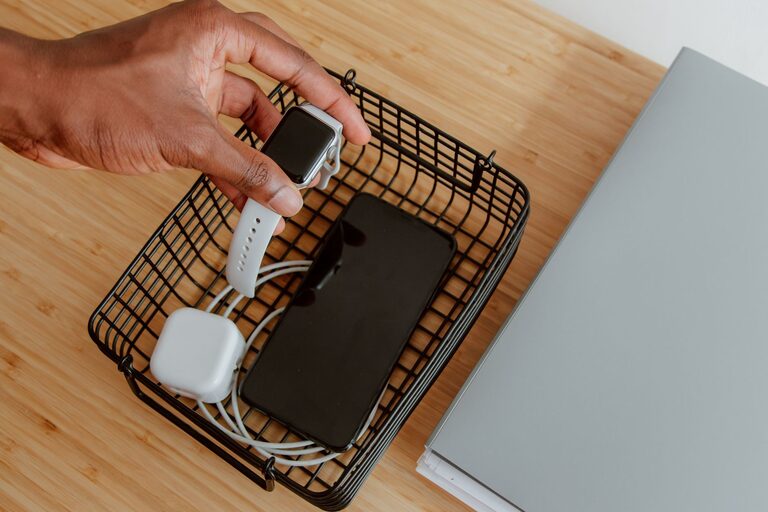
– Open trays or baskets: Easy access but make sure cables are well managed to avoid mess.
– DIY solutions: Use repurposed boxes, wooden crates, or craft simple holders.
Arrange the storage so devices sit comfortably without overlapping or blocking charging ports.
Step 5: Test and Adjust
Plug in your devices and make sure everything charges correctly. Check that:
– All devices fit without crowding.
– Cables are long enough without excess slack.
– There are no exposed wires or tripping hazards.
– The power strip or hub handles the total amperage safely.
Adjust placement of devices or cables for ease of use and aesthetics. If some cables are too long or too short, consider replacing them with better-sized alternatives.
Tips for an Efficient Charging Station
– Prioritize fast charging: Use chargers that support fast charging standards for compatible devices.
– Keep it clean: Regularly dust and wipe down the station to maintain a fresh appearance.
– Add labels or color codes: Helpful for shared spaces or large families.
– Monitor device temperature: Avoid stacking devices while charging to prevent overheating.
– Use smart chargers: Some charging hubs detect device needs and optimize power delivery, saving energy.
– Charge at night: Setting a routine charging time can reduce daytime clutter and ensure fully charged devices.
Conclusion
A well-designed charging station is a handy addition to any home, offering organized, safe, and efficient device charging. With the right location, equipment, and cable management, you can keep your tech powered and your space clutter-free.
Start small, customize based on your needs, and enjoy the convenience of having every device ready whenever you need it!