
Desk Setup Tips for Focus and Comfort: Create Your Ideal Workspace
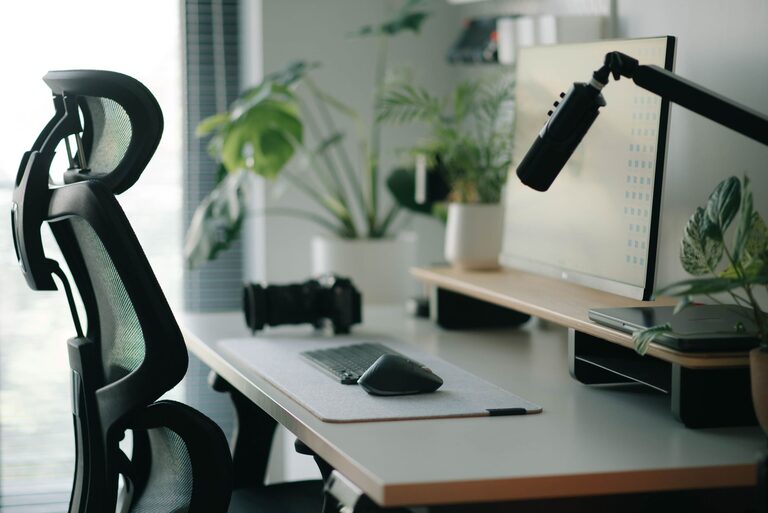
Creating a workspace that promotes focus and comfort is essential whether you work from home, in an office, or study. A well-designed desk setup not only improves productivity but also supports your physical well-being throughout the day. In this post, we’ll explore practical tips to help you create a desk environment tailored to your needs.
Why Your Desk Setup Matters
Your desk is more than just a place to put your computer. It’s where you spend hours working, thinking, and creating. An organized, comfortable, and distraction-free setup can make a big difference in how effectively you work. Poor ergonomics can cause discomfort and strain, while a cluttered space can impact your ability to focus.
Choose the Right Desk and Chair
Desk Selection
– Size: Choose a desk with enough surface area to hold your computer, accessories, and any work materials without cramping your space.
– Height: A standard desk height is around 29 to 30 inches, but adjustable desks or standing desks can offer customized comfort.
– Storage: Desks with built-in drawers or shelves help keep your workspace tidy and essential items within reach.
Chair Choice
– Ergonomics: Invest in a chair that supports your lower back and encourages a healthy posture.
– Adjustability: Features like adjustable seat height, armrests, and tilt can improve comfort.
– Padding: A good balance of padding and support helps reduce fatigue.
Position Your Monitor Correctly
– Eye Level: Your monitor should be positioned so the top of the screen is at or slightly below eye level.
– Distance: Keep your monitor about an arm’s length away to reduce eye strain.
– Additional Screens: If you use multiple monitors, arrange them side-by-side at the same height for smooth viewing.
Optimize Lighting
Proper lighting can reduce eye strain and boost focus.
– Natural Light: Place your desk near a window to take advantage of daylight, but avoid glare on your screen by positioning perpendicular to windows.
– Task Lighting: Use adjustable desk lamps to illuminate your workspace evenly.
– Ambient Light: Soft ambient lighting can reduce contrast and eye fatigue.
Declutter and Organize Your Desk
A clean workspace encourages productivity.
– Minimal Essentials: Keep only frequently used items on your desk.
– Storage Solutions: Use organizers, trays, or drawers to store stationery and documents.
– Cable Management: Use clips, sleeves, or ties to keep cables tidy and out of the way.
Add Personal Touches Wisely
Personal items make your workspace pleasant but should not become distractions.
– Plants: Small indoor plants can improve mood and air quality.
– Photos or Art: Choose a few inspiring images or artwork.
– Comfort Items: A cozy mouse pad or an ergonomic wrist rest can add comfort.
Take Breaks and Move Around
No desk setup is complete without considering your body’s need for movement.
– Standing Options: Consider a sit-stand desk or a desk converter to alternate between sitting and standing.
– Stretch Breaks: Schedule short breaks to stretch and move to reduce stiffness.
– Posture Check: Regularly check and correct your posture during work.
Use Technology to Enhance Focus
– Noise Control: Noise-cancelling headphones or white noise apps can help block distractions.
– Focus Tools: Apps like timers, focus music, or task managers can keep you on track.
– Screen Filters: Blue light filters reduce eye strain during long screen sessions.
Final Thoughts
Creating a desk setup that supports focus and comfort is an investment in your health and productivity. Small changes, such as improving ergonomics, organizing your space, and controlling lighting, can lead to big improvements in how you work and feel throughout the day. Experiment with these tips to find the setup that works best for you and enjoy a more comfortable, productive workspace.